| Technique summary | |
| Technique | Window punching |
| Against | UI injections: Activity injections and View injections |
| Limitations | API Level <33 (Android <13) |
Cannot have INJECT_EVENTS permission |
|
| Does not detect non-touchable overlays | |
| Side effects | None |
| Recommendations | Recommended for use combined with other techniques. |
Window punching is a defense technique against activity and view injections.
This technique was proposed by AlJarrah et al.1 and endorsed by Kalysch et al.2. It relies on the possibility that the android.app.Instrumentation API provides a way to simulate touches on the screen. An application can generate touches only on views that belong to itself. In order to do that on external views, the INJECT_EVENTS permission is needed. Thus, an app can simulate touches ("punches") on specific areas of the screen and, if it touches a view that belongs to a different application, a SecurityException exception will raise:
Injecting to another application requires INJECT_EVENTS permission
Use that behavior to detect the presence of an overlay or injection. Thus, if we throw punches on, e.g., a password field, and we see an exception, we will know that there is an injection or overlay positioned over that field.
This code snippet would simulate one punch in specific coordinates:
To trigger a burst of a specific number of touches on a specific area:
Burst of touches can be launched at a specific time interval, and if an exception occurs, it will lead to a detection.
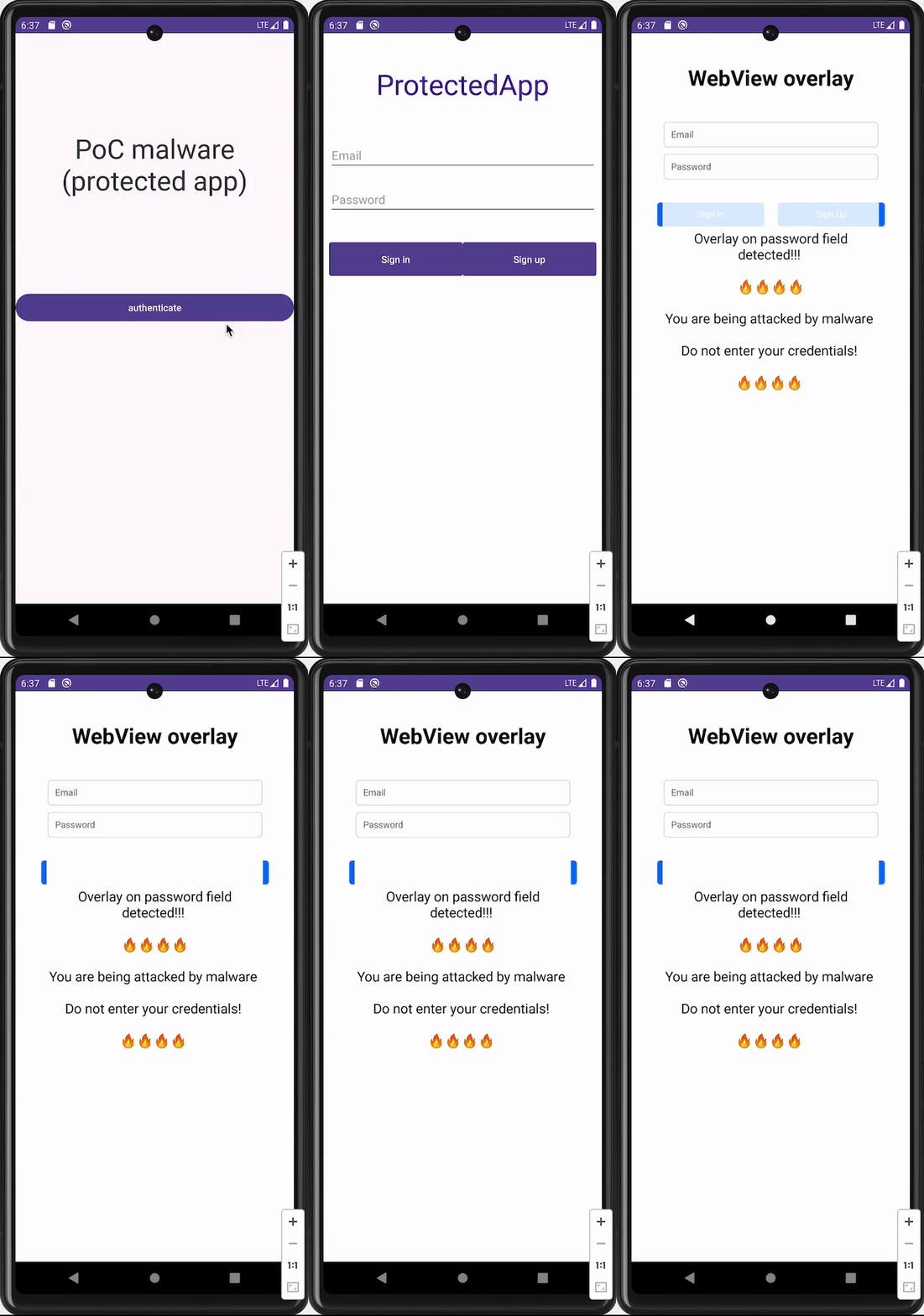
Example implementation of top package inspection defense
One limitation is that this mechanism does not work from API level 33 (Android 13) onward. In this case, the exception is generated even when trying to simulate touches on the same application.
Table of contents